

Something extraordinary is unfolding
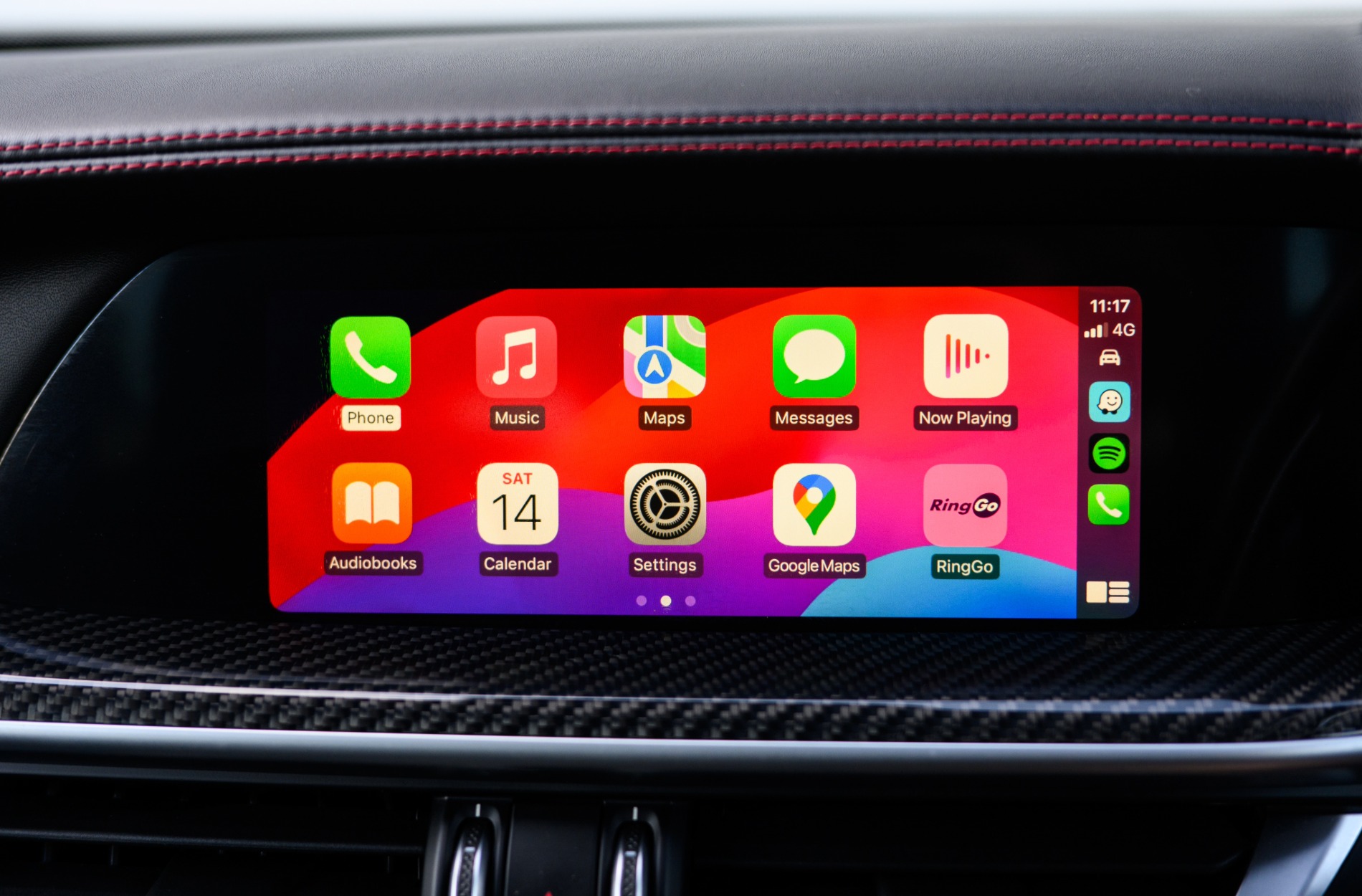
Staying connected has become an important part of everyday life, especially when you’re on the road. Whether you’re off to work, running errands, or heading out on a road trip, staying in touch and having access to your apps and contacts can make every drive better. That’s why features like Apple CarPlay and Android Auto are so useful—they bring the power of your phone to your INFINITI screen so you can stay connected and focused on the road.
INFINITI vehicles offer these features as part of their intuitive driver tech. The infotainment system allows easy pairing with your smartphone, so you can use voice commands, apps, and more without distraction. If you’ve never used these integrations before or aren’t sure how to get started, we’ve got you covered. This article walks you through what Apple CarPlay and Android Auto are, how they work with your INFINITI, and how to make the most out of them.
What is Apple CarPlay & Android Auto?
Apple CarPlay and Android Auto are systems that let you access your phone through your car’s display. Once connected, your phone’s interface shows up on your dashboard screen, making it easier to manage calls, messages, music, and navigation without picking up your device.
Apple CarPlay is made for iPhone users. With it, you can make calls, send texts, use Apple Maps, and control music through your screen. It works with Siri, so you can just talk to your car and get things done while keeping your hands on the wheel.
Android Auto gives Android phone users a similar experience. You can use Google Maps, voice search, send texts, play music, and more. By using Google Assistant, you can do almost everything through voice control.
Here are a few benefits both systems share:
- Hands-free calling and texting
- Turn-by-turn navigation with real-time traffic updates
- Easy access to your favorite music and streaming apps
- Voice commands that help you stay alert and distraction-free
Both systems are designed to make use of familiar features in new ways while driving. They help make each trip feel smoother and keep you safer by reducing how much time you spend looking away from the road.
How to Connect and Set Up
If you’re wondering how to get started, the good news is that connecting your phone is simple. Here are step-by-step instructions to connect your iPhone or Android device.
For Apple CarPlay:
- Make sure your iPhone is running the latest version of iOS.
- Use an Apple-certified USB cable to connect your phone to the car’s USB port.
- Look for the CarPlay icon on your car’s display and tap to start the pairing process.
- Confirm the connection on your phone when prompted.
- Use Siri by holding the voice-command button or saying “Hey Siri” for safe, hands-free access.
For Android Auto:
- Update your Android device with the latest OS.
- If not already pre-installed, download the Android Auto app.
- Use a compatible USB cable to plug into the car’s USB port.
- Follow the directions on the infotainment display to set it up.
- Accept any permissions and allow access to Google Assistant for voice control.
Troubleshooting Tips:
- Make sure the phone’s software is up to date.
- Restart your phone or the vehicle’s system if the connection fails.
- Check that your USB cable supports data transfer, not just charging.
Once you’re connected, the system will remember your phone for future drives, so you don’t have to repeat the setup every time.
Benefits of Using Apple CarPlay & Android Auto in Your INFINITI
Adding Apple CarPlay or Android Auto to your driving routine does more than offer convenience. It improves safety, boosts entertainment, and makes getting to your destination easier. Here’s how:
- Enhanced Safety: Voice commands mean less time handling your phone. You can reply to texts, answer calls, or ask for directions without moving your hands from the wheel.
- Smarter Navigation: Both systems support real-time traffic updates, alternate routes, and better accuracy through apps like Apple Maps, Google Maps, or Waze.
- More Ways to Enjoy Music and Podcasts: Whether you love Spotify, Apple Music, Audible, or another audio app, you can control it from the touchscreen or by voice. Passengers benefit too, as everyone gets to enjoy the playlist or chat features without much fuss.
These features come together to make your INFINITI smarter and more helpful on every trip.
Maximizing Your Experience
Once you’ve mastered the basics, you’ll want to take it one step further. Here are a few suggestions to make sure you’re getting the most out of your system:
- Explore More Apps: Beyond music and navigation, there are useful apps for messages, audiobooks, news, and even productivity tools that can sync with your car’s screen.
- Keep Everything Updated: Make it a habit to check for updates on both your phone and vehicle system. This helps avoid bugs, improves performance, and brings new features over time.
- Maintain Clean Equipment: Dust or debris in your USB ports and cables can interrupt the connection. Keep these clear for a better experience.
- Learn the Shortcuts: Each system offers helpful tips and shortcut commands. For example, holding down the voice assistant button triggers direct action with Siri or Google Assistant right away.
Taking time to adjust your settings and personalize your apps can also help everything feel smoother and easier. That way, the technology works for you, not the other way around.
Drive Connected with INFINITI City of Massapequa
Staying connected should never feel frustrating. That’s why at INFINITI City of Massapequa, we’re here to make sure your INFINITI delivers the easy, connected experience you expect. Whether you need help pairing your device, walking through voice commands, or exploring more capabilities of Apple CarPlay or Android Auto, our team is happy to assist.
We’re available to answer any questions and provide hands-on demonstrations to make sure you feel confident using all the great features at your fingertips. When you’re ready, stop by and let our team guide you through how to use your INFINITI technology with ease.
Discovering the full potential of your vehicle’s technology is just the beginning. When you’re ready to enjoy a smarter, safer, and more connected ride, explore our latest selection of used INFINITI cars. INFINITI City of Massapequa is here to help you find exactly what fits your life and driving style.
Connect with us

